Pendulum Reading & Dowsing Pro6
Publisher Description
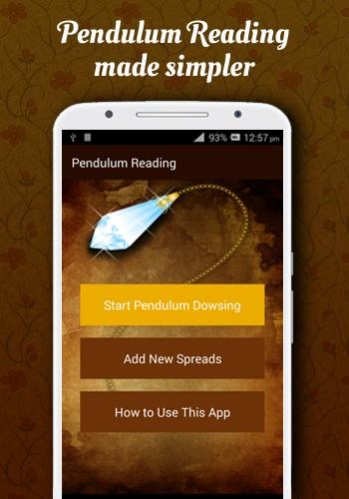
Pendulum Reading or Pendulum Dowsing is a great way to connect with the universal energy and your higher self. Pendulum readings are mainly used for finding answers and for spiritual guidance.
Features of this app:
1. You can now perform pendulum readings anywhere and anytime.
2. 6 different types of spreads to choose from - Yes & No spread, Number spread, Alphabet spread, Sun sign spread, Color energy spread and Chakras spread.
How to use this app:
Pendulum dowsing is a great way to allow your conscious self to work closely with God. It helps you connect to the source energy and understand universal truths.
1. To use this app first, choose your Pendulum and take some time to sit in peace and connect with it. Breathe, hold it in your palms or do whatever you feel is right.
2. Next, select the Start Pendulum Dowsing button from the home screen.
3. You are then shown a prayer that you can use as a form of protection while you communicate with your higher conscious. Say it or use your own prayer.
4. Next, choose a spread depending on your question.
5. Now place your device on a flat surface and hold your pendulum on top and start dowsing - just as you would normally with a paper/cloth spread.
6. End your session with thanks and a prayer.
We hope that you find this app useful and use it for the highest good of all concerned.
Thank you.
About Pendulum Reading & Dowsing Pro
The company that develops Pendulum Reading & Dowsing Pro is Jayasri Nagrale. The latest version released by its developer is 6. This app was rated by 1 users of our site and has an average rating of 3.0.
To install Pendulum Reading & Dowsing Pro on your Android device, just click the green Continue To App button above to start the installation process. The app is listed on our website since 2018-09-26 and was downloaded 124 times. We have already checked if the download link is safe, however for your own protection we recommend that you scan the downloaded app with your antivirus. Your antivirus may detect the Pendulum Reading & Dowsing Pro as malware as malware if the download link to com.jinedesign.pendulumreadingpro is broken.
How to install Pendulum Reading & Dowsing Pro on your Android device:
- Click on the Continue To App button on our website. This will redirect you to Google Play.
- Once the Pendulum Reading & Dowsing Pro is shown in the Google Play listing of your Android device, you can start its download and installation. Tap on the Install button located below the search bar and to the right of the app icon.
- A pop-up window with the permissions required by Pendulum Reading & Dowsing Pro will be shown. Click on Accept to continue the process.
- Pendulum Reading & Dowsing Pro will be downloaded onto your device, displaying a progress. Once the download completes, the installation will start and you'll get a notification after the installation is finished.
Program Details
System requirements
Download information
Pricing
Version History
version 6
posted on 2018-09-26
Every 2 weeks, we make the app better and faster for you. Leave a comment if you want to see new features.
